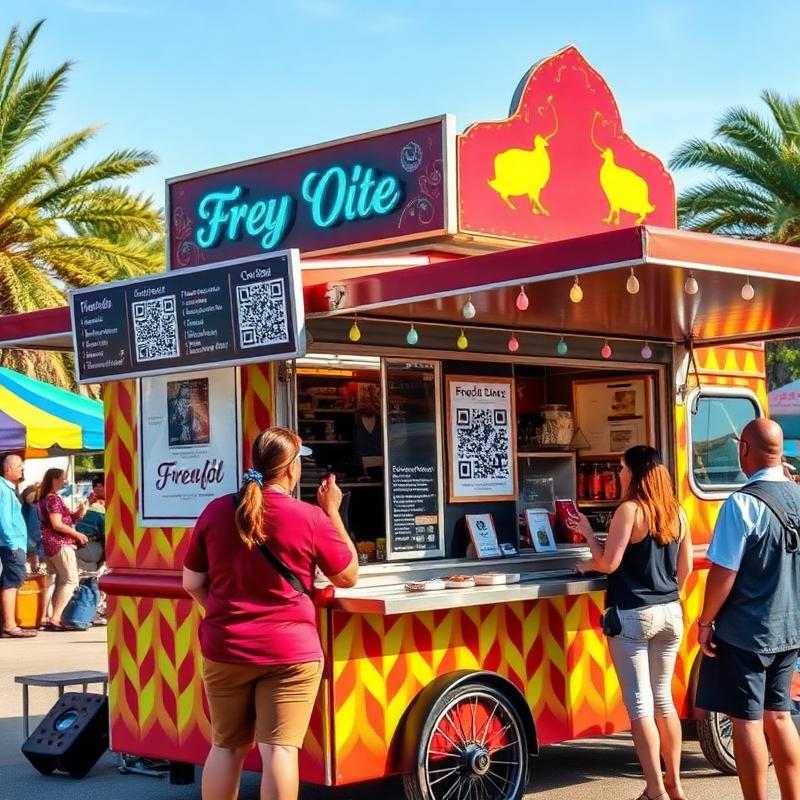
Why food trucks love MenuMagicQR
Built for vendors who move fast and change menus often.
Made for mobile vendors
Whether you park at festivals, markets, or street corners — one QR code works everywhere you go.
Change menus on the fly
Sold out of tacos? New daily special? Update your menu from your phone in seconds.
Location-independent
Your QR code stays the same no matter where you set up. Print once, use everywhere.
Social media ready
Share your QR code on Instagram, TikTok, or X to let fans find your menu before they visit.
No app needed
Customers scan with their phone camera — no app download, no friction, instant menu access.
Professional look
Branded QR codes in your truck's colours make you look polished and tech-savvy.
Get your food truck QR menu in 3 steps
Upload your food truck menu
Snap a photo of your menu board, upload a PDF, or paste a link.
Brand your QR code
Choose colours that match your truck's design and personality.
Display anywhere
Stick it on your truck, hand out cards, or post on social media.
Tips for QR menus at markets and festivals
Busy outdoor events are where a QR menu helps most, as long as it is easy to spot and quick to load.
Go big and place it near the queue
People scan from a few metres away at markets. A code around 10–15 cm wide at eye level near the start of the line lets them decide before they reach the window.
Weatherproof your sign
Laminate the print or use a sturdy sign so rain, sun and grease do not make the code unreadable. Matte finishes reduce glare in bright sunlight.
Keep the menu file light
Festival mobile signal can be patchy. A clear, reasonably sized image or PDF loads faster for customers than a very large file.
Post it with your next location
Share the same code on social media whenever you announce where you will be, so followers can check the menu before they arrive.
Food truck QR code FAQ
Can I update my food truck menu daily?
Yes! Update as often as you want. Upload a new menu and every QR code reflects the change instantly.
Does the QR code work at different locations?
Absolutely. The QR code links to your menu online — it works the same whether you're at a festival, market, or street corner.
Can I share the QR code on social media?
Yes. Download the QR code image and post it on Instagram, TikTok, Facebook, or anywhere you reach your customers.
Do customers need Wi-Fi to scan?
They need a data connection to load the menu, but scanning the QR code itself works offline with any phone camera.