Why restaurants use our QR menu maker
Everything you need to put your menu on every table — and keep it current.
Menu live in 2 minutes
Upload your menu, pick a colour, download your QR code. No design skills, no software to install.
Branded, not generic
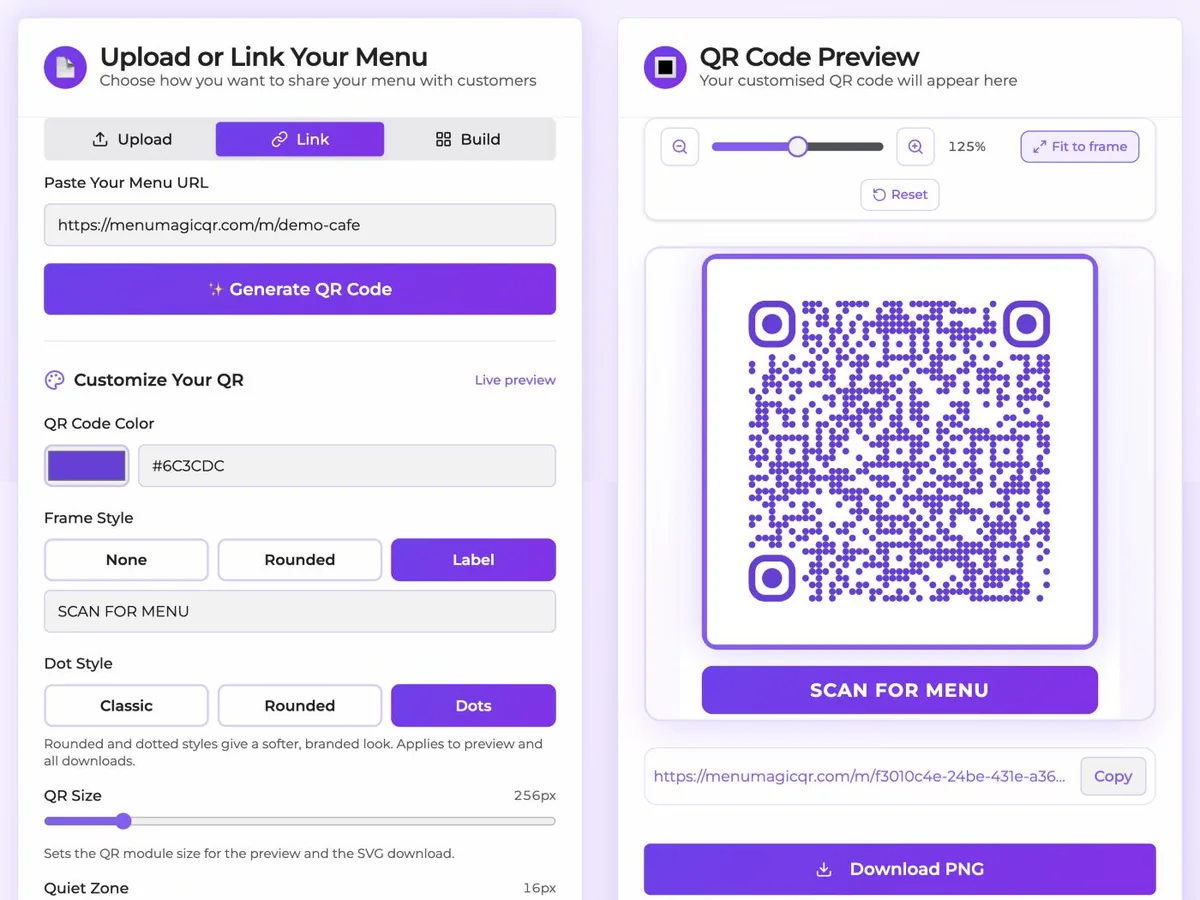
Match the code to your brand colours and choose from classic, rounded or dotted styles — plus frames with your own label.
One code, endless updates
Change your menu any time and every printed QR code shows the new version instantly. Never reprint for a price change.
See every scan
A free dashboard shows scan counts, menu clicks and live visitors — so you know which tables and promos work.
Free forever
No credit card, no trial, no watermark on PNG or SVG downloads. Make as many QR menus as you need, whenever you need them.
Make your QR menu in 3 steps
Add your menu
Upload a photo or PDF of your menu, or build one from a ready-made template in the visual editor.
Brand your QR code
Pick your colour and dot style, then download it as PNG, SVG or a print-ready PDF.
Print and scan
Put it on tables, windows or receipts. Guests scan with their phone camera and your menu opens instantly.
QR menu maker FAQ
What is a QR menu maker?
A QR menu maker turns your restaurant menu into a web page and generates a scannable QR code that opens it. Guests point their phone camera at the code and the menu appears — no app needed.
Is the QR menu maker free?
Yes — free forever. No signup and no credit card. You can create and update as many QR menus as you like.
Can I change my menu after printing the QR code?
Yes. The printed code always points to the same page, so update the menu behind it and every existing code shows the new version immediately. No reprints.
Do I need a designer to brand the QR code?
No. Choose your brand colour and a dot style in the maker — the preview updates as you click, and you can download print-ready PNG, SVG or PDF files.