Everything you need in one QR menu maker
Most QR generators stop at a black square. MenuMagicQR gives you branded design, print-ready exports, and real scan analytics — free.
Generate in under 2 minutes
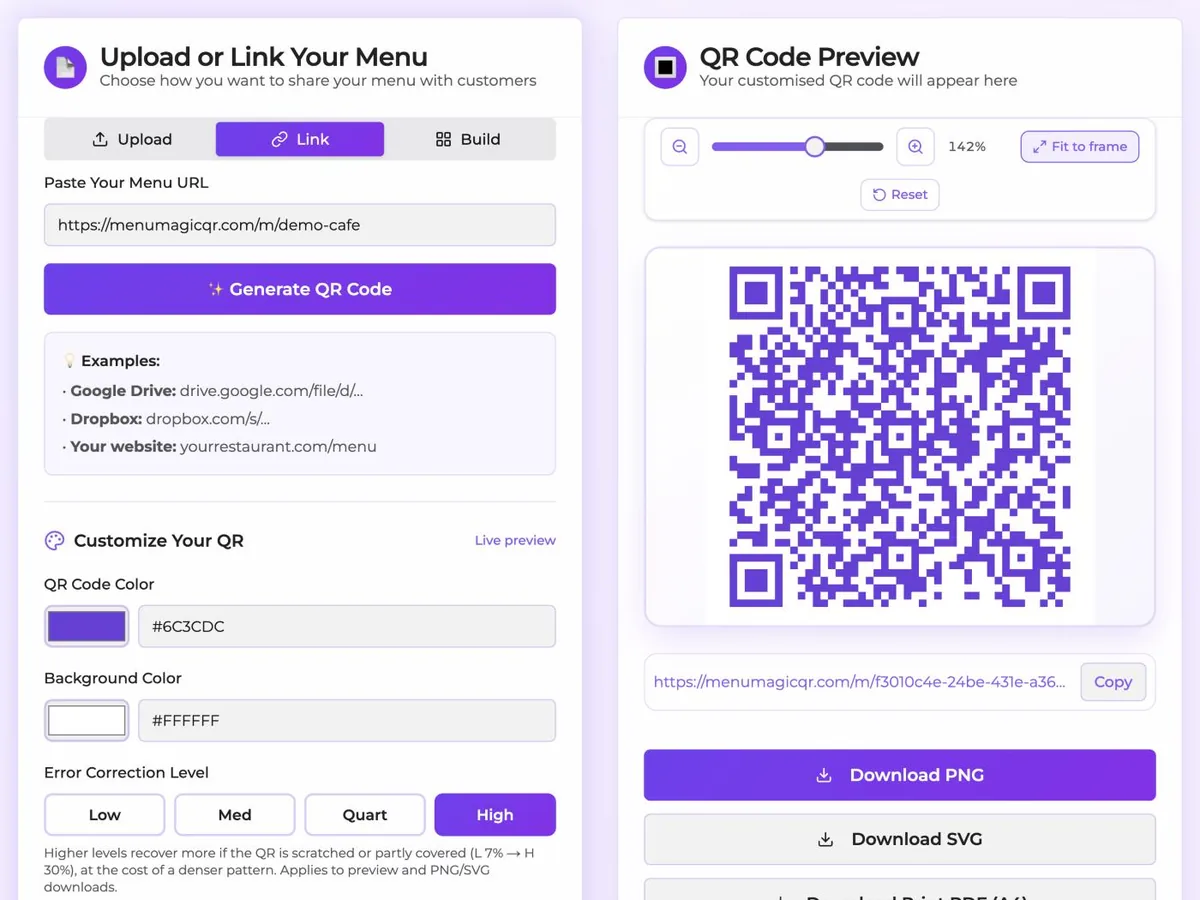
Upload a menu file or paste a link, tweak a colour, download. That's the entire workflow.
Fully branded QR codes
Pick your brand colour, choose a dot style and a frame — never ship a generic black-and-white code again.
Print-ready PNG, SVG & PDF
High-resolution downloads sized for table tents, window decals, receipts, and menu boards.
Mobile-first digital menus
Guests scan with the native camera app — no download, no login, no friction.
Built-in scan analytics
See scan counts, peak hours, devices, and geography so you know what's working.
Free forever, no signup
No credit card, no trial, no watermark on PNG or SVG downloads. Create as many QR menus as you need.
How the QR code menu generator works
Upload your menu
Drop in a PDF, image, or paste a link to your existing online menu.
Brand your QR code
Pick colours, choose a dot style, and pick a frame that matches your restaurant.
Download & display
Export a print-ready PNG, SVG, or PDF and put it on tables, windows, or receipts.
Built for every food & drink business
Specialized landing pages with tips and examples for your business type.
Learn more about QR code menus
In-depth guides from the MenuMagicQR blog.
- Complete guide: how to create a QR code menu
- What is a QR menu? The basics explained
- Update your QR menu without reprinting
- 10 QR menu design ideas that convert
- QR menu best practices for 2026
- Making sense of QR menu analytics
- Digital menu vs paper menu: the honest comparison
- The contactless ordering playbook
- Accessibility tips for QR code menus
- QR code menus for bars & taprooms
QR code menu generator FAQ
Everything restaurant owners ask before switching to a QR menu.